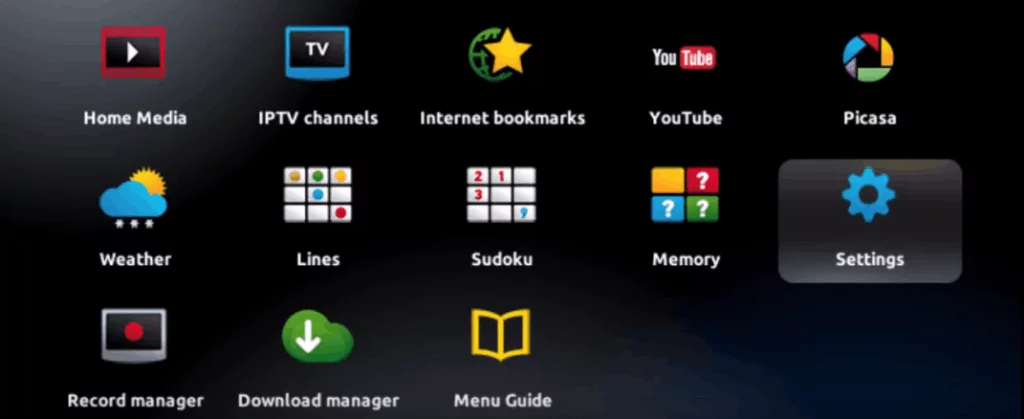
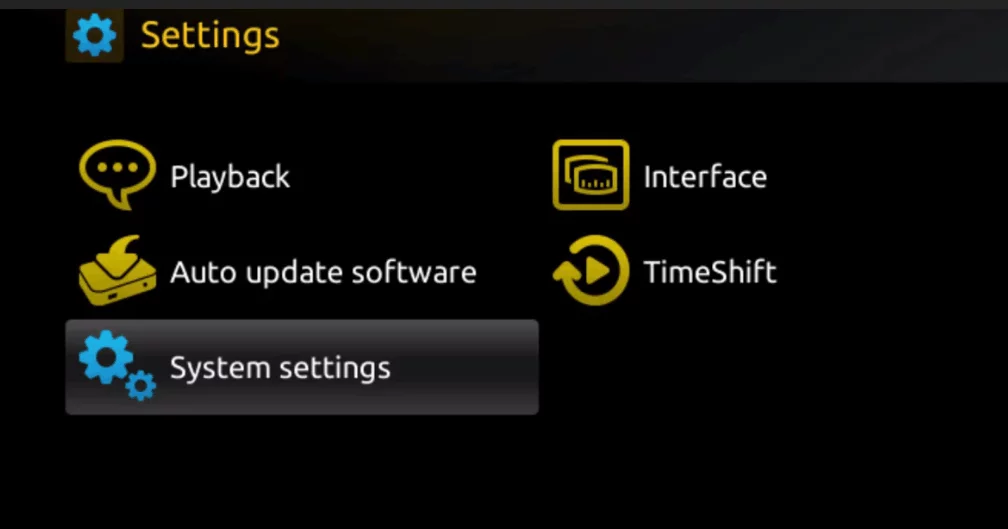
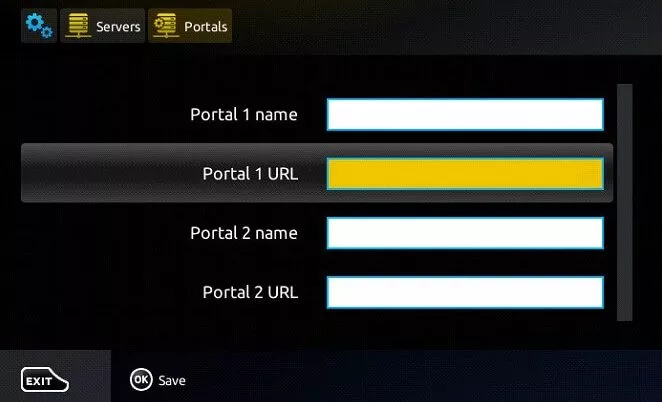
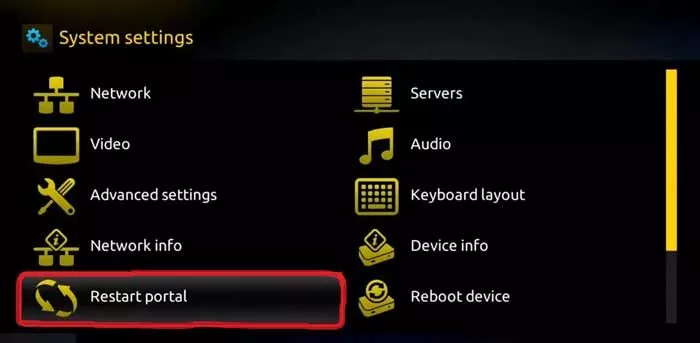
1: When The Box Is Being Loaded The Main Portal Screen Appears. After That Click On “Settings”, Press Remote Button “SETUP/SET”.
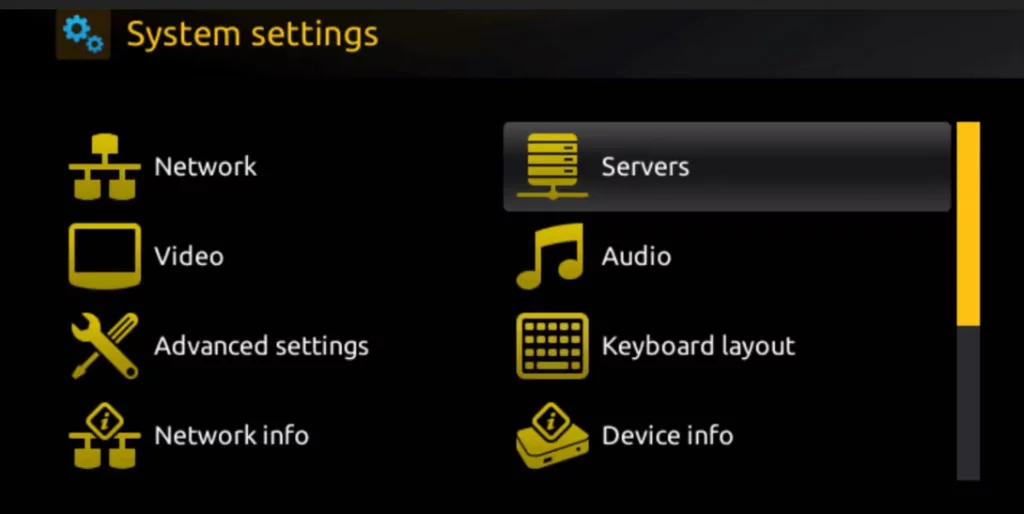
2: Then Press On “System Settings” And Click On “Servers”.
3: Select “Servers”.
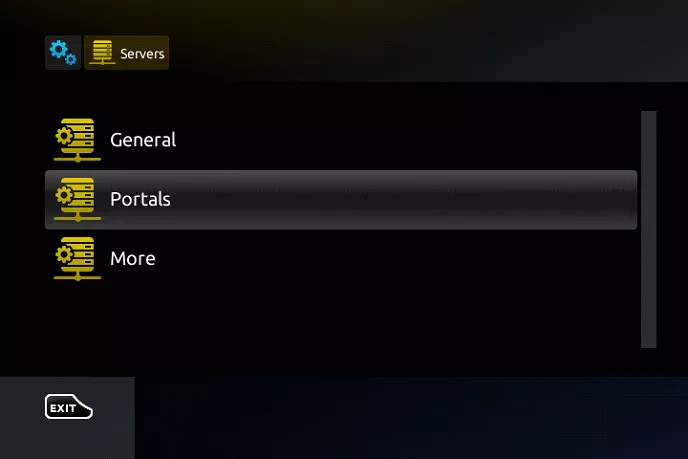
4: Over There, Select The “Portals” Option.
5: Within The Portal Menu, You Will Be Able To Add Or Change The Portal URL. You Can Write Any Name In The Portal 1 Box. For Portal 1 URL You Need To Enter The Portal Address Which You Can Gather From The Provider From Whom You Purchased The Service.
6: Save It. You Can Leave The Portal 2 Name And URL Field Blank. In Case You Have Multiple Subscriptions To Different IPTV Servers, You Can Use Portal 2 Name And URL Field And With This Option, You Can Choose Between The Two Servers.
7: Now, Go Back To The System Settings And Click On The Restart Portal Option.
DPTV Support
Typically replies within a day
Hello, Welcome to our website. Please click below button for chatting us through Telegram.